How to invite your team & set permissions
Let colleagues work in the same workspace, with control over what each person can access.
Steps
Add a user in Settings → Users — enter name, email, and a password.
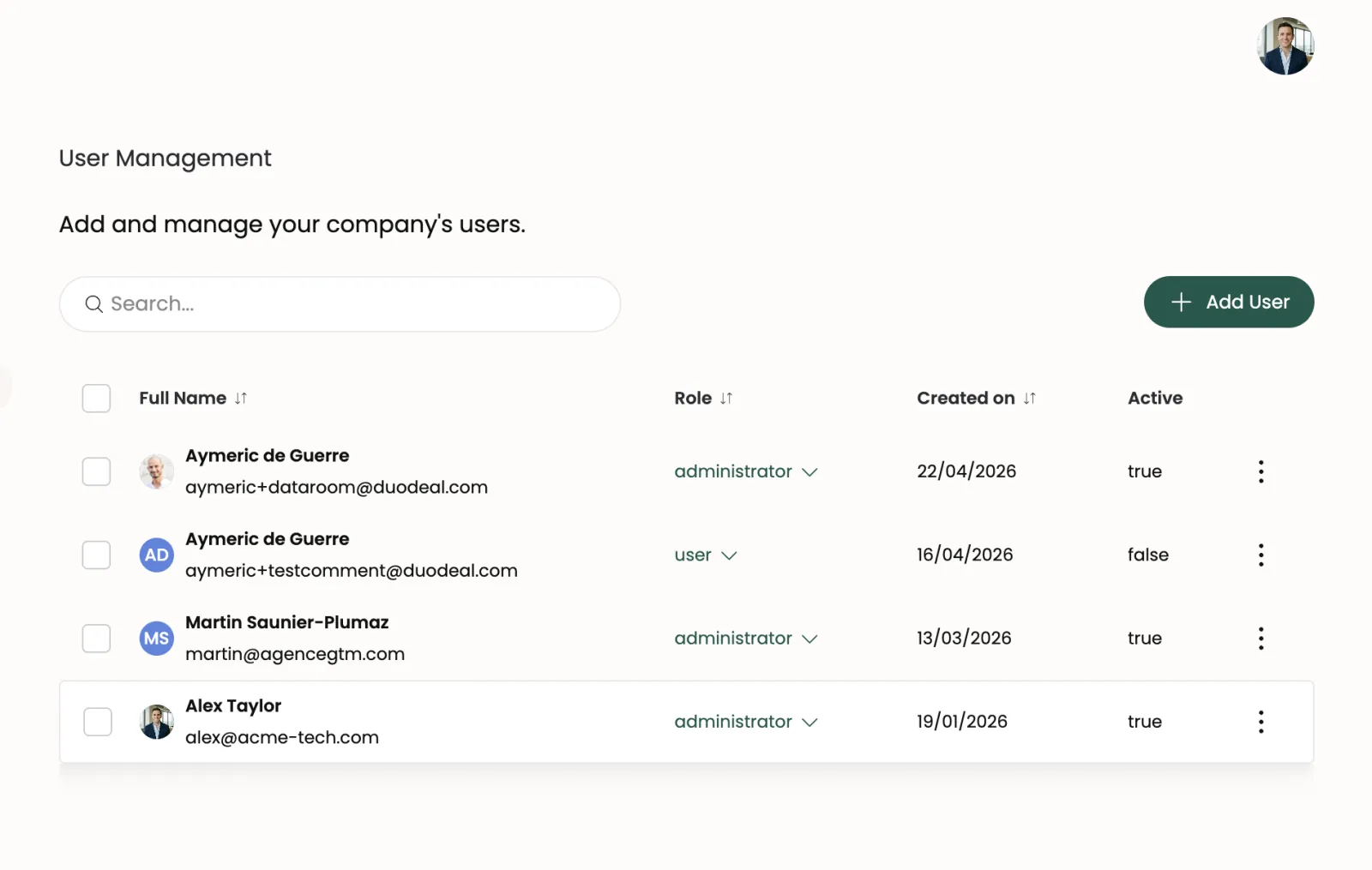
User Management — click Add User to invite a teammate Invite the teammate by entering their email and assigning a role in the Invite User modal.
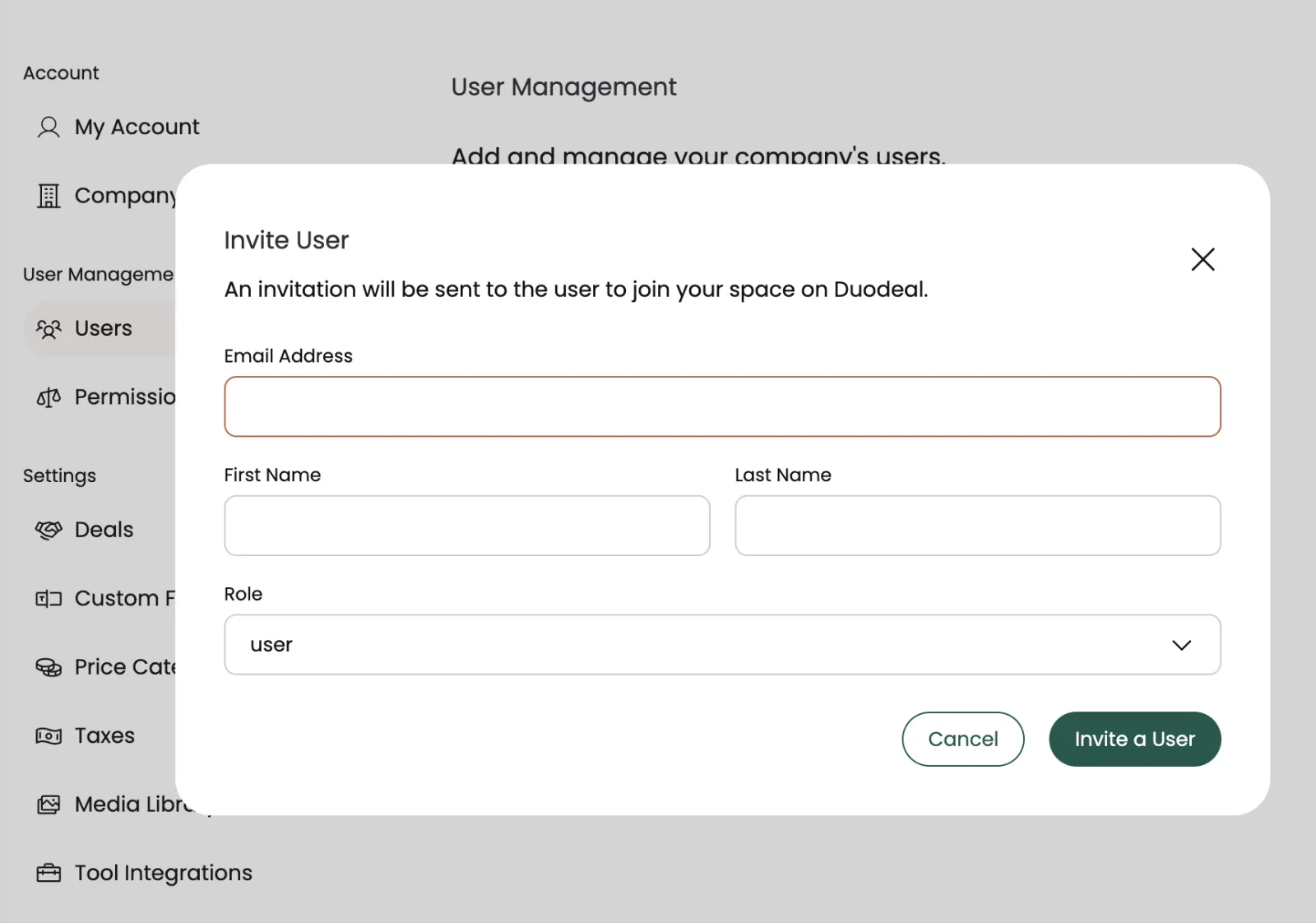
The Invite User modal Create User Groups (e.g. Admin, Sales, Read-only) under Settings → User Groups.
Assign permissions to each group, then assign users to groups.